
What if you could treat a welding robot like a versatile power tool rather than a complex computer? For many Australian fabricators, the push toward automation often hits a snag when they realise they need a specialist programmer just to set up a basic MIG weld. This is where intuitive robot teaching software changes the game, allowing your experienced team to lead the way without writing a single line of code.
We understand the daily pressures of the workshop floor. Finding skilled MIG or TIG welders is harder than ever, and the thought of adding a high priced robotics expert to the payroll feels out of reach for many local businesses. It is natural to worry that automation is too complex for a smaller operation or that job changeovers will lead to more downtime than they are worth.
This article compares modern no-code software against traditional programming methods to show why intuitive interfaces are the key to solving the welding skills shortage. You will discover how these tools empower your existing tradespeople to take control of automation, ensuring your workshop stays productive and competitive without the need for specialized IT staff.
Key Takeaways
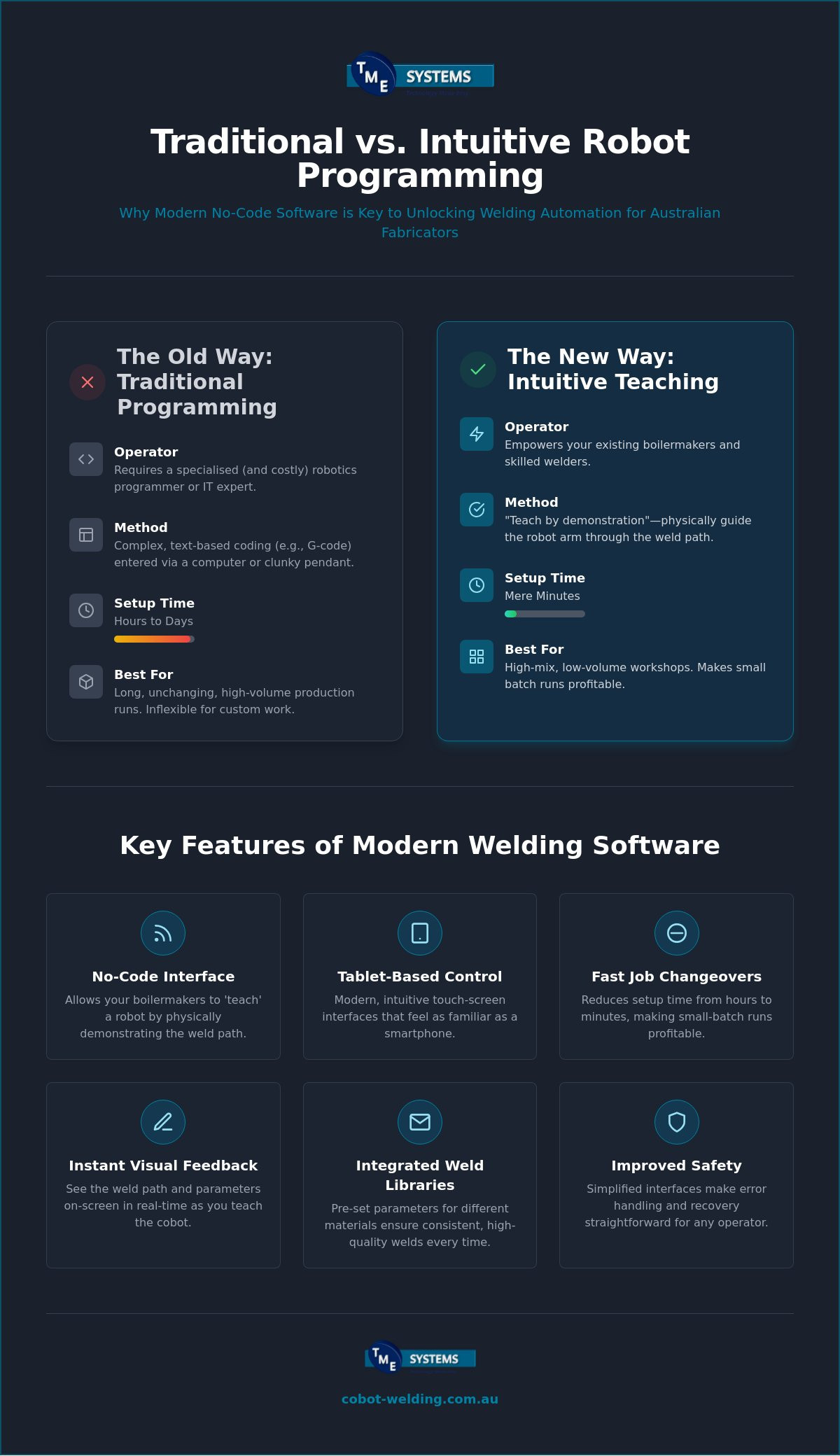
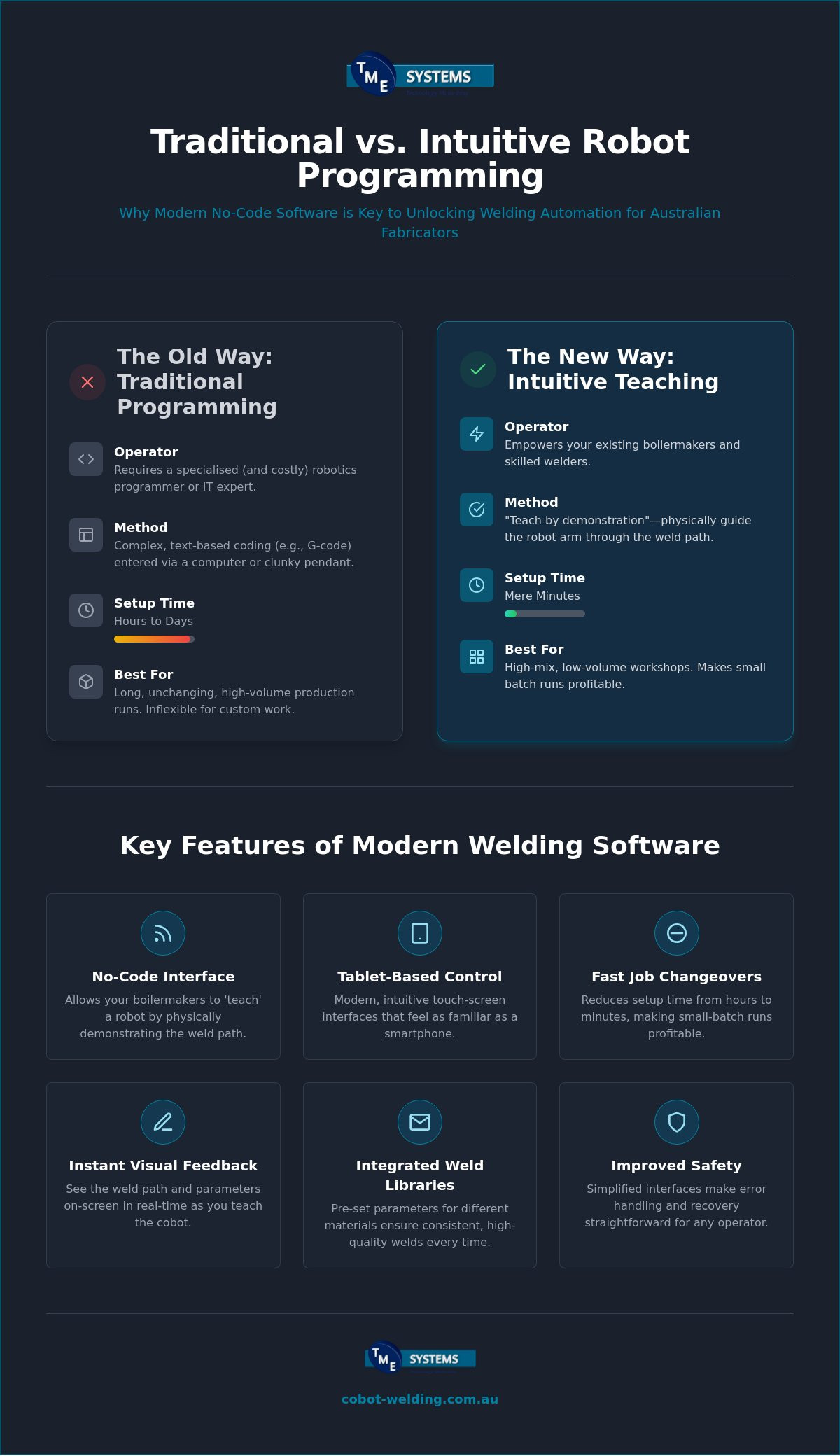
- Learn how no-code interfaces allow your boilermakers to 'teach' a robot by physically demonstrating a weld path instead of writing lines of code.
- See how setup times for new jobs can be reduced from hours to mere minutes, making small-batch runs far more profitable for your workshop.
- Discover why intuitive robot teaching software is the key to empowering your current team and overcoming the local shortage of skilled welders.
- Explore the value of integrated weld libraries that offer pre-set parameters for different materials, ensuring consistent quality across every shift.
- Understand why a hands-on mobile demo is a critical step in choosing the right automation solution for your specific production needs.
What is Intuitive Robot Teaching Software for Welding?
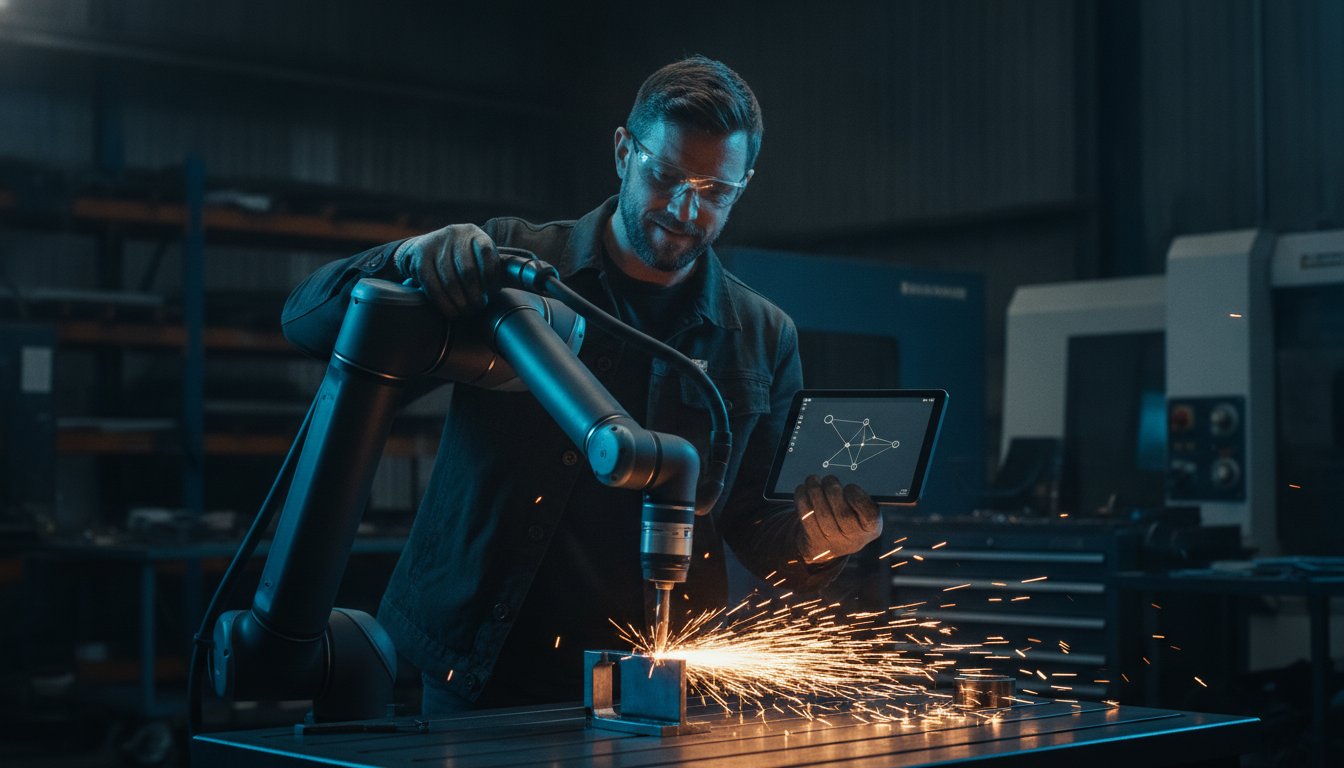
At its heart, intuitive robot teaching software is a no-code interface designed to make automation feel like a natural extension of a welder's arm. Instead of a technician sitting at a laptop entering complex coordinates, a boilermaker simply grabs the robot and moves it through the required weld path. This "teach by demonstration" approach removes the barrier of complex programming. It turns the robot into a tool that understands the language of the workshop floor rather than the language of a computer lab.
For decades, the industry standard was the "teach pendant." This was a bulky, button-heavy remote that required significant training to navigate even basic tasks. Modern systems have largely swapped these for tablet-based interfaces that look and feel like a smartphone. This shift is vital for Australian small and medium enterprises (SMEs) that don't have the budget for a dedicated robotics engineer. They do, however, have teams of highly skilled welders who know exactly how a torch should move to achieve a perfect bead.
From Coding to Showing: The Evolution of Robot Interaction
Traditional industrial robots rely on G-code or proprietary script-based languages. It's a rigid process where every point and speed change must be typed out perfectly. While some large-scale factories use Off-line programming (OLP) to simulate these paths on a computer and keep the line running, it often requires a high level of technical expertise. For a smaller job shop, this level of complexity usually leads to more downtime than productivity.
Lead-through teaching flips this model. It mimics the natural movement of a human welder. By physically guiding the cobot arm, the operator sets the start, middle, and end points of a weld in seconds. Modern software provides instant visual feedback on a screen, showing the path and parameters clearly. If the angle is slightly off, you just nudge the arm and update the point. It's as simple as that. This visual approach ensures that what you see on the screen is exactly what the robot will do on the workpiece.
Why 'Intuitive' Matters in an Australian Workshop
The Australian manufacturing sector is currently facing a massive shortage of skilled MIG and TIG welders. Workshop owners can't afford to let their most experienced people spend weeks in a classroom learning how to code. Using intuitive robot teaching software allows you to upskill your existing tradies in a matter of hours. It empowers the people who already understand weld pools and heat distortion to manage the automation themselves.
This approach also helps to reduce the "fear factor" often associated with new technology. Automation shouldn't feel like a threat to a worker's job; it should feel like a way to take the strain out of repetitive, dull tasks. When a welder sees they can control the machine with a simple touch-screen, the intimidation factor disappears. Safety is also improved through these interfaces. Simplified software makes error handling and recovery much more straightforward. If something goes wrong, the operator can quickly reset or adjust the path without waiting for an external technician to arrive and fix the code.
Traditional Programming vs. Intuitive Teaching: A Comparative Look
Traditional programming often feels like trying to teach a dog to bark in binary. It is slow, rigid, and demands a level of computer literacy that isn't always found on the workshop floor. For an Australian fabricator, the difference between these old-school methods and modern intuitive robot teaching software is most obvious when looking at the clock. While traditional coding might take hours or even days to get a single complex part right, a no-code system allows you to achieve the same result in minutes.
This shift changes the entire Return on Investment (ROI) calculation for a small workshop. In the past, automation was only for long-run automotive style lines where a robot would do the same weld for six months straight. Today, the accessibility of no-code robot welding software means that even a job shop doing one-off custom frames can see the benefits of robotics without needing a massive capital outlay for specialised staff.
Setup Speed and Batch Flexibility
In a high-mix, low-volume environment, traditional programming is a productivity killer. If it takes four hours to code a path for a job that only lasts two hours, the robot stays in the corner gathering dust. High-end research into intuitive programming methods shows that simplifying the interface is the only way to make robotics viable for bespoke fabrication. It allows for a "teach-and-repeat" workflow that fits into the natural rhythm of a busy workshop.
With an intuitive system, you can swap between different parts with minimal fuss. You simply lead the arm, save the path, and hit start. This flexibility means you can automate small batches of brackets or complex assemblies without blowing out your lead times. It keeps the arc on for longer during every shift and ensures your machines are actually making you money rather than waiting for a software update.
Labour Costs and Training Requirements
The financial side of the argument is just as clear. Dedicated robotic engineers command high salaries that can put a massive dent in a small workshop's budget. By choosing intuitive robot teaching software, you shift the power back to your floor staff. You don't need to go out and find a programmer who has never held a welding torch; you empower your current boilermaker instead.
Your team already knows the difference between a good weld and a bad one. Giving them the tools to manage the automation themselves means you aren't reliant on external contractors for minor path adjustments. This upskilling doesn't just save money on labour; it improves staff retention by making the work more engaging and less physically taxing. If you're curious about how this looks in practice, you might want to see our mobile demo system to see the software in action on your own site.
Key Features of Modern Welding Software for Cobots
The real power of intuitive robot teaching software lies in how it translates a welder’s expert knowledge into digital commands without the need for a keyboard. It isn't just about moving an arm from point A to point B; it’s about giving the operator total control over the nuances of the weld. Modern interfaces focus on making these technical adjustments as visual and straightforward as possible, ensuring the robot performs exactly as a human would on a good day.
One of the most critical aspects of this technology is capturing human manufacturing skills and applying them to a repeatable robotic process. By using a combination of physical guidance and smart software libraries, a fabricator can set up a complex job that once required a specialist engineer. This section breaks down the specific tools that make this possible in a busy Australian workshop.
Lead-Through Teaching and Waypoints
Lead-through teaching is the backbone of the no-code movement. By pressing a "freedrive" button on the robot arm, the welder can manually guide the torch along the seam. The software records these waypoints, remembering not just the position in space, but the exact torch angle and orientation. This is vital for achieving deep penetration and avoiding undercut.
The operator can also set specific approach and depart points. These ensure the robot doesn't just "teleport" to the start of a weld, which could lead to collisions with jigs or the workpiece itself. By defining these paths manually, you ensure a clean finish and a safe transition between different sections of the part. It's a tactile way of working that feels familiar to anyone who has spent years behind a welding mask.
Welding-Specific Parameter Control
Beyond simply moving the arm, intuitive robot teaching software must manage the "black magic" of welding physics. This includes syncing the robot's travel speed with the power source's voltage and wire feed speed. Modern software often includes integrated weld libraries. These are pre-set "recipes" for different materials, such as 5mm mild steel or 3mm aluminium, which give the operator a proven starting point.
You can also access specialised functions directly from the tablet interface, such as:
- Stitch welding: Perfect for heat-sensitive parts where a continuous bead would cause distortion.
- Tacking: Quickly securing components before the final run.
- Multi-pass seams: Automatically calculating the offset for heavy-duty joints that require more than one layer of filler.
If the fit-up isn't perfect, the software allows for automated welding path adjustment on the fly. This means you don't have to start the programming from scratch if a batch of parts is slightly out of spec. Finally, visual simulations allow the team to run a "dry pass" on the screen. This checks for potential collisions or reach issues before a single arc is struck, saving both time and expensive consumables.
Implementing Intuitive Software: What Fabricators Need to Know
Implementing new tech on a busy floor requires more than just unboxing a robot. It's about making sure the intuitive robot teaching software actually solves your bottlenecks rather than creating new ones. Start by looking at your current job mix. If you're constantly swapping between different brackets or frames, you need a system that handles changeovers without a fuss. While some jobs might seem too complex for no-code, modern software is surprisingly capable of handling intricate seams that once required a specialist engineer.
Think about your team, too. The introduction of easy to program welding robots is a massive boost for staff retention. It moves your experienced welders away from the most repetitive, back-breaking tasks and into a role where they are managing the technology. This upskilling makes the workshop a more attractive place to work, which is a significant advantage in a tight labour market. It shows your crew that you're invested in their future as much as your own productivity.
Choosing the Right Interface for Your Team
Most fabricators prefer tablet-based interfaces because they feel familiar. They work just like the smartphones in our pockets. However, in an Aussie workshop, that tablet needs to be tough. It has to survive heat, dust, and the occasional knock. A good system will also offer a 'sandbox' mode. This is a safe digital environment where your operators can test a new weld path before the robot ever moves. It's a pragmatic way to prevent mistakes and build confidence during the learning phase. Regular software updates are also part of the package, ensuring your investment stays current as new welding features are developed.
Integration with Existing Workshop Equipment
When you use intuitive robot teaching software, the goal is a seamless connection between the operator's intent and the machine's action. Hardware compatibility is a vital part of this. Your software needs to communicate perfectly with your MIG or TIG power source via digital protocols. This ensures the wire feed and gas flow sync with the robot's travel speed. Without proper cobot welding integration, you'll struggle to get consistent results. Sensors and touch-sensing features can also be added, allowing the software to account for slight variations in part fit-up and keeping the weld on track every time.
The role of the integrator is to bridge the gap between the software and your specific parts. They help customise the workflow so it fits your production goals from day one. If you're ready to see how this could work in your shop, book a mobile demo with our team and we'll bring the technology to you for a hands-on look.
Getting Started with No-Code Automation in Australia
Choosing the right software is a significant step, but it shouldn't be a shot in the dark. In the Australian fabrication industry, the best way to verify if intuitive robot teaching software fits your workflow is to see it in action on your own workshop floor. A glossy brochure can't replicate the reality of your specific jigs, material types, or floor space constraints. TME Systems Pty Ltd focuses on operator onboarding that treats your welders as the experts they are. We don't just drop off a machine and leave; we provide the training and integration needed to turn a new collaborative robot welding cell into a productive member of your crew.
The Proof of Concept: Mobile Demonstrations
A mobile welding robot demonstration is the ultimate "try before you buy" for a busy shop. It allows your lead welders to grab the arm, use the software, and see how quickly they can set a path for a real part. During these sessions, we measure the actual time-to-weld. This data gives you a clear, honest picture of the potential productivity gains before any contracts are signed. It turns the evaluation process into a collaborative experience, ensuring that when the system is finally installed, your staff are already confident and ready to hit the start button.
Long-Term Success and Support
Success doesn't end once the first batch of parts is finished. As your business grows, you'll want to build a library of saved paths for repeat orders. This ensures that a job you did six months ago can be set up again in seconds. Modern software makes this digital archiving simple, creating a valuable asset for your business. You can refine and adjust these paths over time, constantly improving your efficiency without needing to start from scratch.
Local support is where the rubber hits the road. If you have a software query or need a quick troubleshoot, waiting for an overseas helpdesk isn't an option. Having local Australian technical assistance means you get answers in your own time zone from people who understand the local manufacturing landscape. TME Systems Pty Ltd is committed to the long-term growth of Australian fabricators, providing ongoing updates and remote troubleshooting to keep your arcs on and your production lines moving. This steady partnership turns a technical purchase into a lasting competitive advantage for your workshop.
Future-Proof Your Workshop with No-Code Automation
The shift from complex coding to 'showing' a robot how to weld is the most practical way for local shops to stay ahead. By using intuitive robot teaching software, you remove the technical barriers that once made automation feel like a risk. It's about giving your best welders a more powerful tool; it's not about replacing their craftsmanship with a computer programmer.
This approach directly tackles the skills shortage by upskilling the team you already have. You gain the flexibility to handle small batches and the speed to keep your production lines moving without the high cost of specialised staff. We provide expert Australian support and full system integration to ensure your transition is seamless. Every system we deliver comes with hands-on training to get your operators up to speed from day one.
Book a mobile demonstration to see our intuitive software in action on your own parts and discover how accessible modern automation has become. It's time to let your team focus on the art of welding while the cobot handles the repetition.
Frequently Asked Questions
Is intuitive robot teaching software really 'no-code'?
Yes, it is truly no-code. You don't need to write lines of script or G-code to get the robot moving. Instead, you physically guide the robot arm to specific waypoints and use a visual tablet interface to set your welding parameters. The intuitive robot teaching software handles all the complex background calculations automatically, allowing you to focus on the quality of the weld rather than the syntax of the computer language.
Do I need an engineering degree to program a welding cobot?
No, you don't need a degree or a background in computer science. These systems are designed specifically for tradies and boilermakers who already understand the welding process. If you can use a smartphone and know how to set a welding power source, you have the skills needed. The goal is to empower your existing team to manage the automation themselves without relying on external specialists.
Can I use this software for small, one-off welding jobs?
Absolutely. This is one of the biggest advantages for Australian job shops. Because the setup time is reduced to mere minutes, it becomes profitable to use the robot for small batches or even one-off custom frames. You no longer need a run of thousands of parts to justify the time spent on programming, which makes automation a viable tool for bespoke fabrication.
What happens if the part is slightly out of position?
Modern software includes features like touch-sensing to account for these variations. The robot can be programmed to 'feel' for the part before it starts the arc, automatically adjusting the path to match the actual position of the workpiece. This ensures consistent weld quality even if your jigs aren't perfect or if there are slight differences in part fit-up from the previous batch.
How long does it take to train a welder on this software?
Most welders can pick up the basics of intuitive robot teaching software in just a few hours. We typically find that by the end of a single day of hands-on training, an operator is confident enough to set up and run standard weld paths. More complex tasks, such as multi-pass seams or intricate weaving patterns, might take a couple of days of practice to master fully.
Does the software work with both MIG and TIG welding?
Yes, it is compatible with both processes. While MIG is the most common choice for automated cells due to its travel speed, the software provides the precise control required for high-quality TIG work. It allows you to manage specific parameters like gas pre-flow, arc start height, and crater fill settings directly from the same interface used to teach the path.
Can I adjust the weld path while the robot is running?
You can make quick adjustments between cycles to refine the finish. If you notice the heat is too high or the torch angle needs a slight nudge, you simply pause the process, tweak the setting on the tablet, and resume. Some advanced systems even allow for real-time 'on the fly' adjustments to travel speed or voltage while the arc is active, giving you total control over the weld pool.
Is the software compatible with Australian safety standards?
Yes, the software is built to comply with international standards like ISO 10218-1 and ISO/TS 15066, which form the basis for robotic safety in Australia. It includes the necessary protocols for collaborative operation, such as force and speed monitoring. When integrated into your workshop correctly, it helps you meet your local WHS obligations while providing a safer environment for your team.